Splunk Enterprise: SIEM Log Collection & Detection
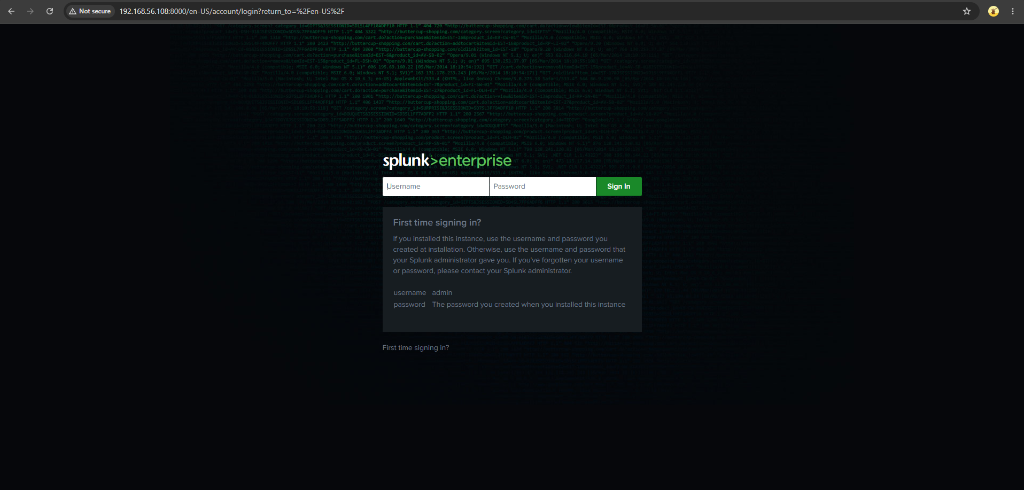
Built an enterprise-grade SIEM lab from scratch on VirtualBox to explore log collection with Splunk Universal Forwarder, SPL threat hunting, and attack alert creation from an adversarial Kali Linux node. A dedicated Ubuntu Server 24.04 hosts Splunk Enterprise 10.4.2 (8 GB RAM, 4 vCPUs, 50 GB storage), while instrumented Linux and Windows endpoints from the prior Wazuh lab were repurposed to evaluate cross-SIEM telemetry collection in parallel over an isolated Host-only network (192.168.56.0/24). Overcame multi-adapter Linux Netplan configuration issues, updated mirror endpoints, enabled persistent systemd boot-start, configured receiving port 9997, and deployed Universal Forwarder as an active systemd service under user splunkfwd.
Engineered an enterprise Splunk SIEM pipeline in an isolated virtual lab, achieving dual-SIEM telemetry co-location with Wazuh, resolving 6 complex infrastructure bottlenecks, and securing lightweight log ingestion over TCP port 9997.
Key Metrics & Measurable Impact
Empirical benchmarks and telemetry milestones recorded across host provisioning, network triage, and agent deployment.
1 Splunk server, 2 endpoints (Linux & Windows), 1 Kali Linux attacker node
Splunk Enterprise indexer and Universal Forwarder active and listening
Netplan DHCP, apt mirror outage, soft lockup, credential separation, boot-start
Lightweight endpoint daemon compared to 8 GB dedicated server allocation
Standardized multi-stage visual documentation across 4 evidence folders
20 completed tasks, 1 in progress, 16 planned for attack & SPL stages
Work Artifacts & Key Evidence
Selected technical screenshots and logs. Use the side arrows to scroll or click any card to inspect.
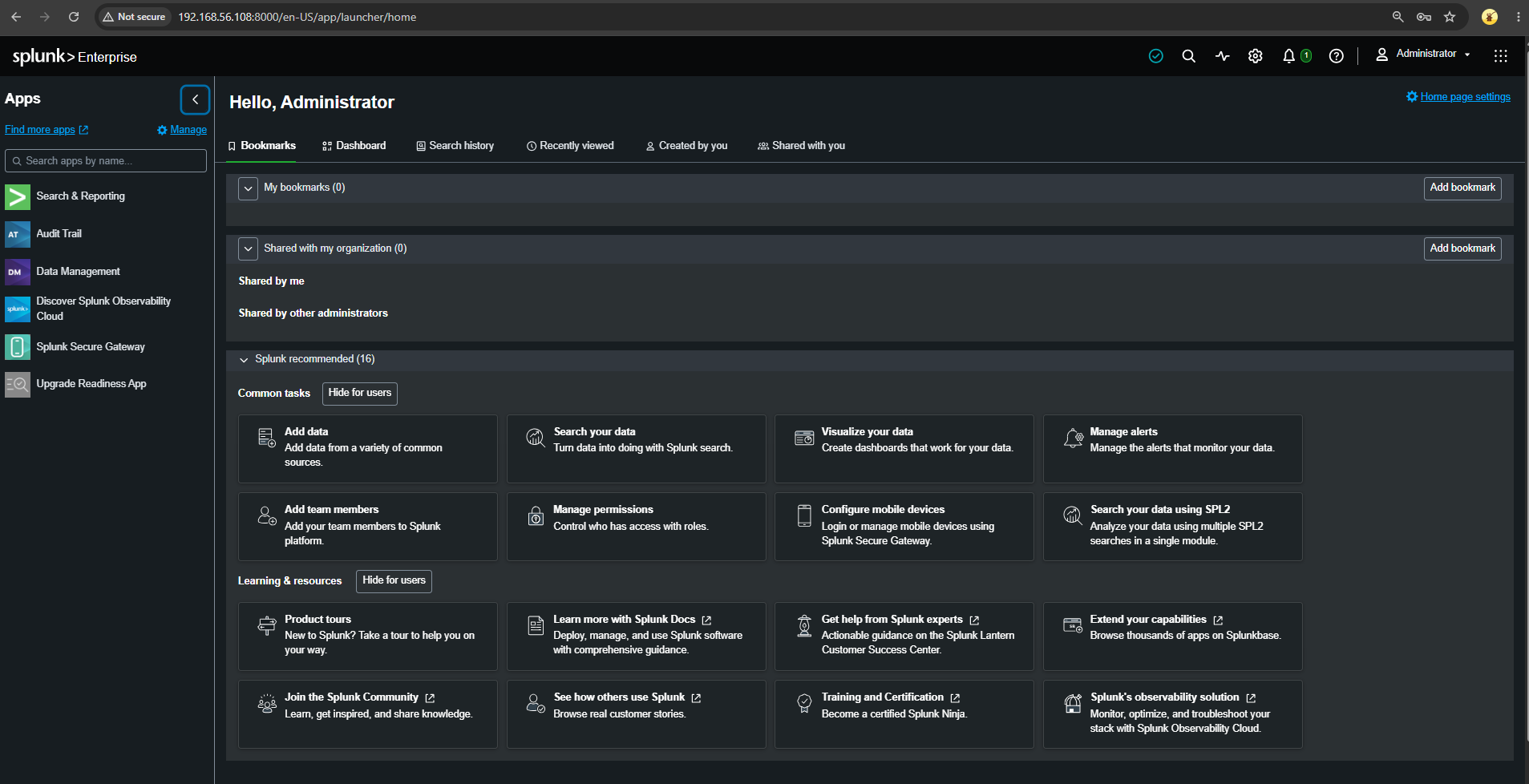
Splunk Enterprise Web Console Access
Splunk Enterprise web console authenticated successfully from the host browser via management port 8000.
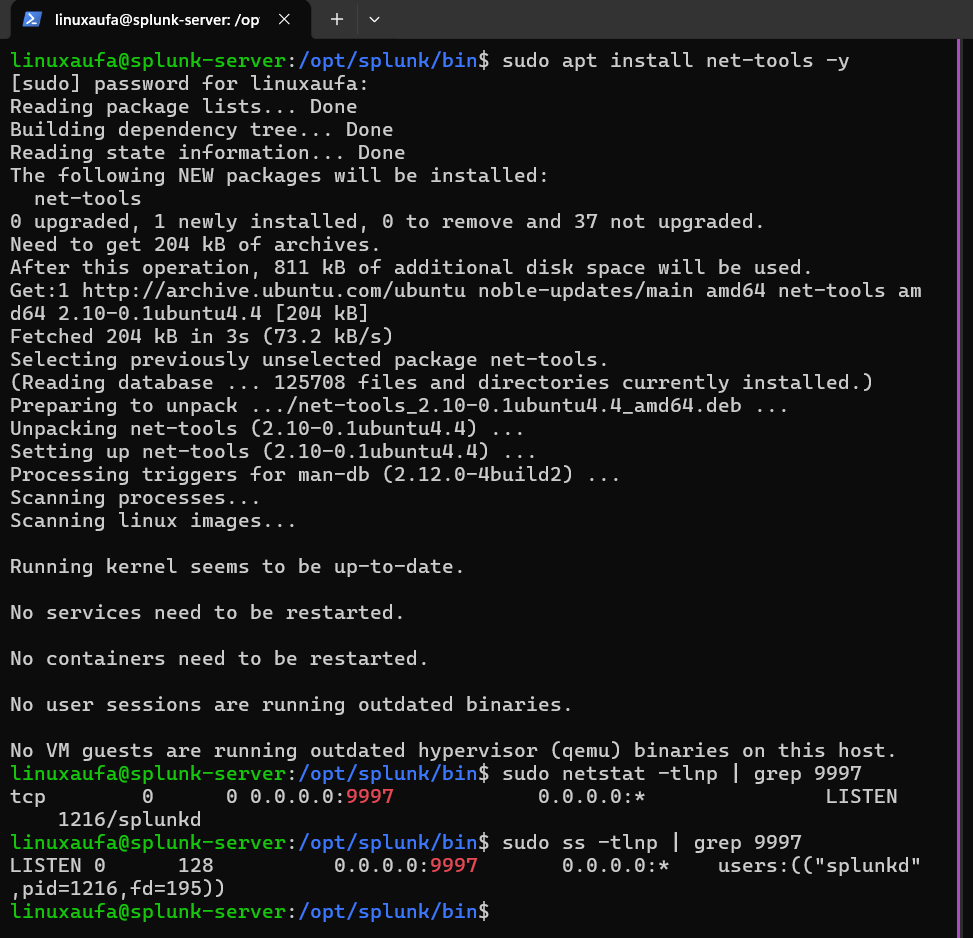
Receiving Port 9997 Listening Socket
TCP port 9997 verified in listening state by splunkd daemon, confirmed ready to receive ingestion streams from Universal Forwarders.
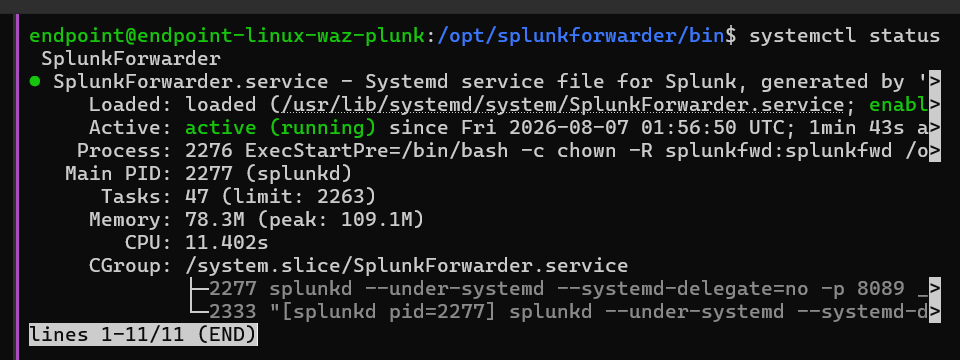
Universal Forwarder Systemd Service Active
Splunk Universal Forwarder running and enabled as a persistent systemd service under the dedicated splunkfwd service account.
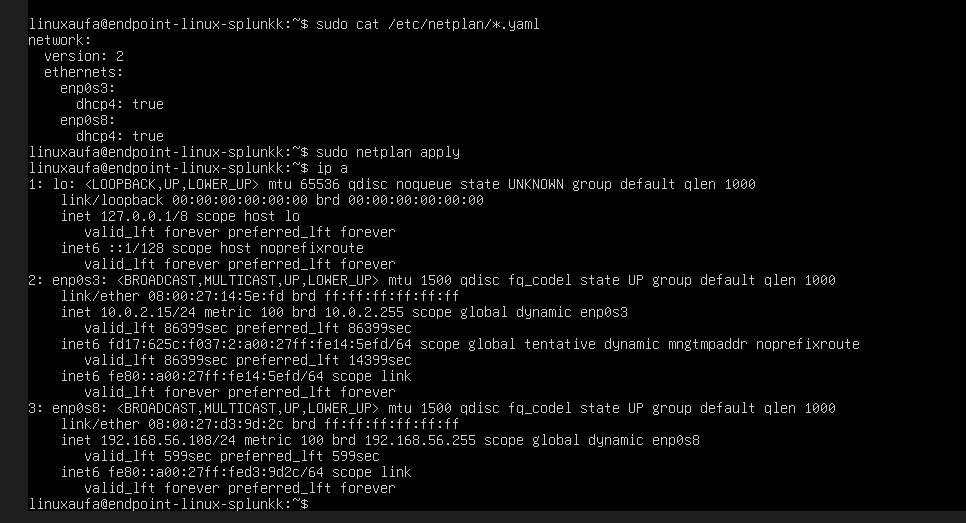
Netplan Interface Configuration & Host-Only IP
Netplan network configuration repaired, successfully binding the Host-only interface and obtaining static IP 192.168.56.108.
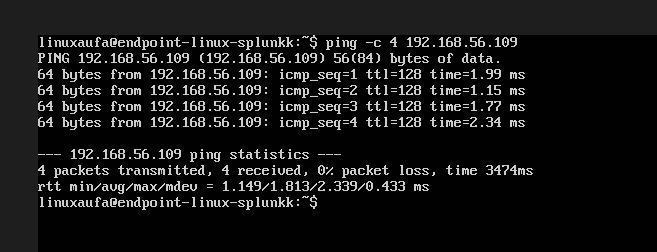
Cross-VM Subnet Reachability Verification
Bidirectional ICMP reachability verified between the Splunk Enterprise server and the Linux endpoint across the Host-only subnet.
Investigation Timeline
Infrastructure Provisioning & Netplan Resolution
Provisioned Ubuntu Server 24.04 LTS (192.168.56.108) with 8 GB RAM and 4 vCPUs. Diagnosed missing Host-only interface omitted by the unattended installer, restored connectivity by defining enp0s8 DHCP in Netplan, and switched broken apt mirrors.
Splunk Enterprise Deployment & Boot Persistence
Installed Splunk Enterprise 10.4.2 via Debian package, initiated first-run setup, generated administrator credentials, and enabled system boot persistence to guarantee service recovery.
TCP 9997 Receiving Ingestion Port Activation
Configured Splunk Enterprise to listen for distributed endpoint log streams over TCP port 9997. Verified socket binding with ss and netstat utility tools.
Universal Forwarder Deployment on Linux Endpoint
Deployed Splunk Universal Forwarder 10.4.2 on Ubuntu endpoint (192.168.56.106) alongside existing Wazuh agent, establishing systemd daemon persistence under the splunkfwd service user.
Implementation Phases & Checklist
- ✓Initialize splunk-homelab repository directory structure
↳ Standardized docs/, infra/, configs/, and writeup/ folders
- ✓Architect multi-SIEM topology (dedicated Splunk server, reuse endpoints and Kali)
- ✓Establish standardized screenshot documentation conventions (2-digit ordering)
- ✓Draft comprehensive 24-point engineering project template
- ✓Validate dual-adapter networking (NAT internet access + Host-only 192.168.56.0/24)
- ✓Audit and document network adapters across Kali, Ubuntu, and Windows endpoints
- ✓Troubleshoot enp0s8 interface DOWN state and apply Netplan DHCP configuration
↳ Assigned Host-only IP 192.168.56.108
- ✓Verify ICMP connectivity from splunk-server to Linux (.106) and Windows (.109)
- ✓Provision VirtualBox VM (8 GB RAM, 4 vCPUs, 50 GB dynamic storage, Ubuntu 24.04)
- ✓Execute unattended OS installation and triage initial kernel soft lockup
- ✓Configure dedicated hostname splunk-server and local hosts resolution
- ✓Replace unreachable apt mirror (id.archive.ubuntu.com) with primary archive
- ✓Install and configure OpenSSH server for remote management from host
- ✓Download and install Splunk Enterprise 10.4.2 Debian package (.deb)
- ✓Execute initial setup with --run-as-root and generate administrator credentials
- ✓Access and verify web console via HTTPS on port 8000
- ✓Configure systemd boot-start persistence for splunk service
- ✓Enable receiving port 9997 and verify listening sockets with netstat and ss
- ✓Rename Linux VM and hostname to endpoint-linux-waz-plunk
- ✓Install Splunk Universal Forwarder 10.4.2 on Ubuntu endpoint
- ✓Verify systemd service active and enabled under splunkfwd service user
↳ Lightweight memory footprint verified at ~78 MB RAM
- ◐Execute add forward-server pointing to 192.168.56.108:9997
↳ Command prepared, awaiting operational validation
- ○Configure inputs.conf for /var/log/auth.log and syslog forwarding
- ○Deploy Universal Forwarder on Windows endpoint (endpoint-windows-waz-plunk)
- ○Configure Windows Event Log inputs (Security, System, Sysmon optional)
- ○Verify live telemetry ingestion stream in Splunk index=main
- ○Confirm Kali Linux network reachability against targeted endpoints
- ○Execute simulated SSH brute-force attacks and port scanning via Kali
- ○Build SPL correlation queries to identify suspicious authentication patterns
- ○Design SOC operational security monitoring dashboard
- ○Configure correlation alerts and threshold notification rules
- ○Compile incident response notes and investigation runbooks
- ○Author complete technical lab report (report.md) and repository README
- ○Execute post-hiatus validation (IP address retention, boot persistence, trial license)
- ○Perform comparative analysis between Wazuh and Splunk detection pipelines
Documentation & Technical Reports
Comprehensive technical analysis, investigation methodology, and formal security documentation for this project are currently being compiled. The full report and lab artifacts will be published here soon.
This project was developed strictly for cybersecurity education, threat monitoring research, and professional portfolio demonstration. All network traffic, forwarder agents, and simulated attacks are contained within an isolated, self-hosted virtual lab environment (VirtualBox Host-only subnet) targeting owned virtual machines exclusively.